free css templates

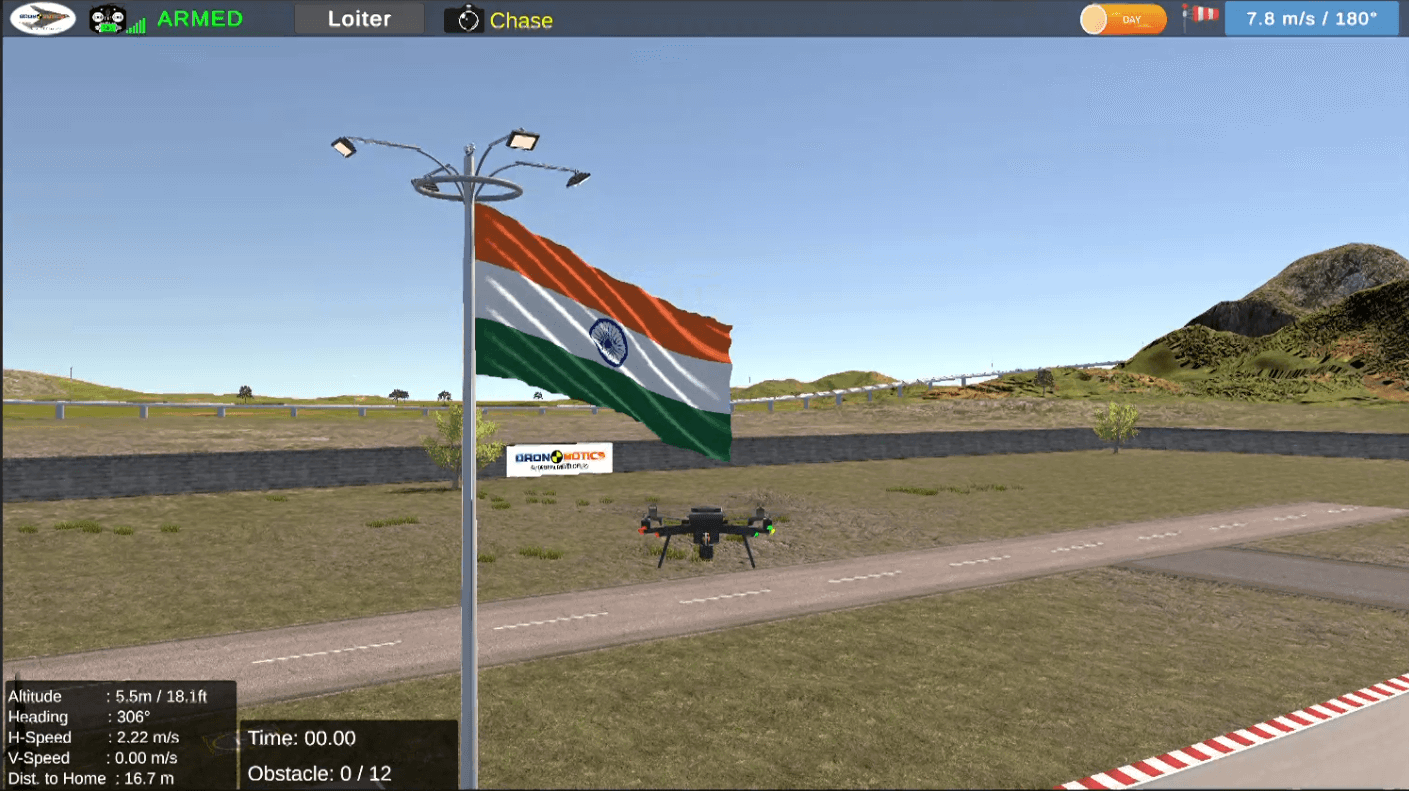
DronoSim - Base Edition (2026)

1

Before You Download (Important)

A. DronoSim Base Edition is provided for evaluation and institutional onboarding.
B. The downloaded software runs in Demo Mode by default.
C. Demo Mode includes operational restriction of Geofence only.
D. Activation Key is issued only after successful purchase.
E. Sending a machine code alone does not activate the software or imply entitlement to an activation key.
F. This ensures fair usage and protects legitimate customers.

2

What You Get on Download

A. DronoSim Base Edition software package.
B. Demo Mode enabled (geofenced, evaluation use).
C. Offline operation (no internet required).
D. Registration panel to view Machine Code.
E. You can evaluate performance, controls, UI, and workflow on your own hardware before purchase.

3

System Requirements 

Minimum (Tested – Demo & Evaluation)
Windows 10 / 11 (64-bit)
Intel i3 (6th Gen or equivalent) or higher
8 GB RAM
Integrated Graphics (Intel HD 520 / UHD or better)
SSD recommended
Full HD display

Recommended (Smooth Experience)
Windows 10 / 11 (64-bit)
Intel i5 / Ryzen 5 or higher
16 GB RAM
Dedicated GPU (NVIDIA GTX / AMD equivalent or better)
SSD
Full HD or higher display

**Performance depends on system configuration, graphics capability, background applications, and scene environment used.

4

Installation Instructions

A. Extract the downloaded ZIP file to any folder
     (Example: D:\DronoSim).
B. Read "1 IMPORTANT READ ME.txt" file (Updated Periodically)
C. Run "DronoSim Base Edition.exe"
D. Create a desktop shortcut if required.
E. No internet connection is required.
F. Do not rename or delete files inside the folder.
G. Run the software from the extracted folder only (do not run directly from ZIP).

5

Demo Mode & Activation (Read Carefully)

A. After installation: Software runs in Demo Mode.
B. Demo Mode includes: Operational geofencing Limited altitude and area.
C. To get Activation Code, Contact Us for pricing details and quotation.
D. After Purchase, Open DronoSim, Go to Main Menu → Registration Details.
E. Copy the Unique Code.
F. Send the Unique Code after purchase to: 📧 info@dronobotics.in along with: Invoice / payment reference
G. Activation Keys are issued only after successful purchase. Random or unpaid unique code requests will not be processed.

6

Important Policy Notice

A. Activation is specific to Unique Code.
B. Activation keys are not transferable.
C. Reinstallation on the same machine is supported.
D. Activation on a new machine requires re-issuance of a new activation key.

7

Need a Quote or Invoice?

For bulk pricing, quotation, or institutional procurement:
📧 info@dronobotics.in  💬 WhatsApp:  +91-9131683177

8

Final Note

A. DronoSim is a professional training simulator designed for serious use.
B. Demo access is provided for evaluation only.
C. Activation keys are part of a licensed purchase and are not issued free of cost.
D. DronoSim is a training aid and does not replace regulatory requirements, inspection evaluation, or regulatory RPTO approval processes.

9

Supported Controllers

Compatibility may vary based on firmware, driver version, and calibration.
A. FlySky FS-i6S (Recommended)
B. Taranis Controllers (QX7)
C. Radiomaster (Pocket)
D. Thrustmaster joysticks
E. Logitech Joysticks
F. Any joystick/Controller with pure HID
G. InterLinkDX
H. GamePads (Limited)
I. FlySky FS-i6X (Not recommended - limited compatibility observed)
J. List will be updated after more testing. 

Request Download Access – DronoSim Base Edition

After submitting the form, we will review your request and share the download details on your registered email ID as soon as possible.

Download access is provided for evaluation. Activation keys are issued only after successful purchase.